SUPPORT
How can we help?
The BlueCanvas support team is here to help — from installation and app use to A/S.
We take A/S requests through KakaoTalk only, so we can see the problem clearly in your photos and videos.
Support hours · Weekdays 10 AM–5 PM KST (closed 12–1 PM for lunch, on weekends, and on Korean public holidays)


Password is correct, but you still can't sign in to the app? Accounts with no sign-ins or device activity for over a year may be dormant. Request to reactivate a dormant account →
A/S
If something breaks, let us know on KakaoTalk
We take A/S requests only through our KakaoTalk channel, 'EL FACTORY'. Photos and videos help us pinpoint the problem and fix it faster.
Submit an A/S request on KakaoTalk ↗Support hours · Weekdays 10 AM–5 PM KST (closed 12–1 PM for lunch, on weekends, and on Korean public holidays)
Report it on KakaoTalk
Send photos or videos of the problem to our 'EL FACTORY' channel.
Remote diagnosis
Based on what you send, we'll diagnose and fix the issue remotely right away.
On-site repair
If we can't fix it remotely, we'll come to you. A service-call fee applies if the damage was caused by the customer or the free warranty has expired.
Have this ready before you message us on KakaoTalk
- Model name
- Photos or videos of the issue
- Your BlueCanvas app account
- Your name and contact info
Warranty
- Free warranty coverage lasts 1 year from the date of purchase.
- If the purchase date can't be verified, coverage begins 3 months after the manufacturing date.
- Damage caused by misuse or negligence, unauthorized modifications, unstable power, or natural disasters isn't covered and will be repaired for a fee.
FAQ
What do I need to install it?
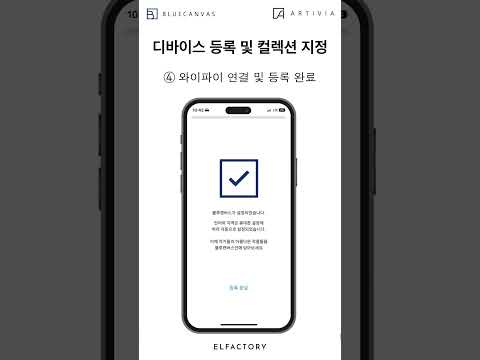
Just a 220V outlet and Wi-Fi.
Can we buy through KONEPS, Korea's public procurement service?
Yes. The School Smart Gallery is listed on KONEPS. Search item ID 24861908 (Standard 26.5″) or 24861907 (Premium 49″).
Can I use it with my existing TV?
Yes. Just connect a set-top box to turn your existing TV or LED screen into a gallery or a digital bulletin board.
Can we display our own promotional materials?
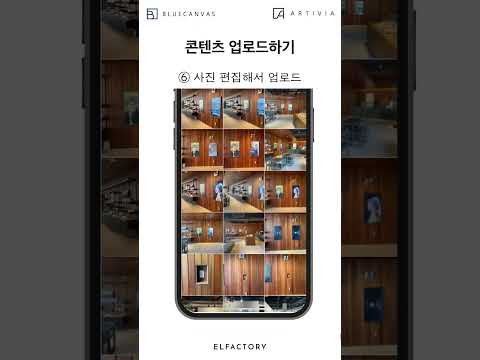
Yes. Upload images and videos from a computer or phone and display them alongside the artwork — timetables, announcements, event photos, and more.
What if something breaks?
Send photos or videos of the problem to our KakaoTalk channel, 'EL FACTORY'. We'll fix what we can remotely right away, and send a technician if needed.
Can I use it without Wi-Fi?
You'll need Wi-Fi for the initial setup. No Wi-Fi? You can connect through your smartphone's hotspot.
Can I leave it on all day?
A built-in scheduler lets you set on/off times, so it only runs when you need it.
What's the difference between Editions and Artworks?
A Digital Edition comes with both the artwork and a BlueCanvas, and is sold on Smart Store. An Artwork is the work alone, downloaded to a canvas you already own, and is sold only in the BlueCanvas app.
School Smart Gallery
Can it be used in art classes?
The monthly curated masterpieces are perfect for art appreciation lessons and morning activities.
Can we choose the artwork our school wants?
Choose from Great Masters, the World Museums Series, or Movements in Western Art. We can also create custom content — quotes, illustrated poems, famous lines, and more — whenever you need it.
Can we use our existing TV or LED screen?
Yes. Just connect a set-top box to turn your existing TV or LED screen into a gallery or a digital bulletin board. Some schools have even turned unused TVs into galleries.